
Trading platform & site functionality
EaseUS positions itself as a consumer and small-business software provider, best known for its data recovery tool (EaseUS Data Recovery Wizard), partition manager (Partition Master), backup software (Todo Backup), and a handful of video, phone, and system utilities. The site organizes products by platform and function, typically offering free trials or freemium tiers alongside paid licenses. Visitors are guided through problem-oriented landing pages (e.g., recover deleted files, migrate OS to SSD, clone disk) with technical explanations, feature grids, and download buttons. The overall proposition is straightforward: scan, preview, and recover or manage storage with an emphasis on approachability for non-experts.
From a usability perspective, easeus.com features product subpages, knowledge-base articles, and a support center that addresses common operating system scenarios. Documentation typically explains step-by-step workflows, with screenshots and compatibility notes for Windows and macOS. The download flows route to installers that are generally code-signed and versioned, and the site uses standard e-commerce checkout for paid editions. The presentation resembles mainstream utility vendors, with limited-time discounts and bundles appearing throughout the catalog, which is common in this category but warrants careful reading of terms.
Licensing spans perpetual-style licenses with pay-for-upgrade options and time-limited subscriptions, depending on the product and edition. Trials often allow scanning and preview but require a paid key to actually recover data or unlock advanced storage operations. This model is a double-edged sword: it makes evaluation easier but can frustrate buyers who assume full functionality without paying. We advise testing the free scan to assess whether your lost files are located and intact before committing, and to confirm edition differences (Standard vs. Pro vs. Technician) align with the task at hand.
Technical depth varies by product. Partition Master, for instance, manipulates partitions and filesystems — high-impact operations that inherently carry risk. EaseUS provides wizards and safeguards, yet whenever a tool touches partition tables or boot records, users should back up critical data beforehand. Backup software and cloning utilities are similarly sensitive; even reputable tools can fail under edge conditions, and power interruptions or driver conflicts can produce unintended outcomes. EaseUS documentation does cover precautions, but the responsibility for environment readiness remains with the user.
The storefront sometimes includes cross-sell prompts, upgrade nudges, and renewal messaging, which can feel assertive to buyers unfamiliar with software subscription norms. Language around renewal cycles and upgrade entitlements should be read carefully; some editions include one year of upgrades while others promise lifetime updates or lifetime use of a single version. Privacy and telemetry are also relevant: utilities that scan storage inevitably access file metadata, and crash analytics may be transmitted unless disabled. We encourage users to review privacy settings during installation, rely solely on official downloads from easeus.com or www.easeus.com, and avoid third-party download portals and cracked builds that frequently package malware.
License & regulatory status
Because EaseUS sells software rather than investment services, it is not subject to financial-market licensing by regulators such as the FCA, BaFin, ASIC, CONSOB, or the CFTC. This is important context: readers should not expect to find a brokerage license number or a crypto authorization attached to this brand. The relevant oversight for a utilities vendor is consumer protection, privacy compliance, and software distribution norms, not securities law. Any claim that a tool like this is “regulated” in the financial sense would be a misunderstanding of the product category.
We did not encounter credible evidence that easeus.com falsely claims oversight by financial regulators or misuses regulator logos. Instead, the site leans on technical explanations, user guides, and promotional pricing typical of software storefronts. Where badges or endorsements appear (for example, mentions from tech publications), treat them as marketing signals rather than legal certifications. If you rely on any seal or award, click through to verify the original source and confirm it is current and legitimate.
Data handling and privacy fall under frameworks like GDPR in the EU and comparable privacy laws elsewhere, particularly because data recovery and backup software can scan large portions of storage. EaseUS provides a privacy policy that explains categories of collected information, typically including basic account details, license data, and diagnostic event logs. Whether you are in the EU, UK, or another jurisdiction, confirm if you have opt-outs for analytics and marketing communications, and whether telemetry can be disabled from within the product. A conservative approach is to disconnect non-essential analytics if your risk profile is sensitive and rely on offline workflows where feasible.
For corporate or technician editions that may be used in client environments, check license terms regarding commercial use, number of endpoints, and transfer rights. Practitioner-grade tools often have separate EULAs with added obligations or restrictions on resale and service provisioning. If your organization requires procurement vetting, involve legal and security teams to review the EULA, data processing disclosures, and update channels. We did not find public regulator warnings directed at easeus.com; nonetheless, enterprise buyers should follow standard vendor risk assessments, including verifying code-signing practices and change-management disclosures around major updates.
User feedback
Public sentiment about EaseUS is mixed-to-positive, with many users crediting its software for recovering files or simplifying partition tasks, but also a visible minority reporting disappointments. Common praise points include approachable interfaces, efficient scans on healthy media, and an extensive knowledge base that clarifies scenarios for novices. User stories that trend negative often revolve around unmet expectations: the free scan can show recoverable items yet require a paid license to complete recovery, which can feel like a bait-and-switch to those who overlook trial limitations. Realistically, this trial approach is standard in the category, but communication clarity is what distinguishes a smooth experience from a frustrating one.
A recurrent complaint theme involves billing — specifically, confusion about auto-renewal on subscription licenses and uncertainty about what “lifetime” means in terms of upgrades versus usage rights. Some reviews describe challenges with refunds when recovery results were poor, citing that success rates depend on media condition and overwrite history. While this is technically accurate — no vendor can guarantee recovery once sectors are overwritten — the onus is on the seller to set accurate expectations up front. Before paying, confirm whether your license includes upgrades, how long support lasts, and under what conditions a refund can be requested.
On the technical side, users have reported both success and failure with deep scans and partition moves. Failures often correlate with failing drives, file-system corruption, or interruptions during long-running operations, situations where any tool could stumble. The perception of “software broke my disk” can arise when a drive on the brink of failure finally tips over during heavy I/O, but causality can be murky. EaseUS documentation does recommend imaging a failing drive before attempting recovery, which we strongly endorse; advanced users may prefer to clone to a stable target and run recovery on the clone to minimize risk.
Support quality is variably reviewed, which is not unusual for global vendors handling many time zones and languages. Some customers praise prompt chat responses and clear instructions, while others cite slow email turnaround or scripted replies. Our view: walk in with documented evidence (screenshots, logs, order ID, and steps tried) to increase the odds of a productive exchange. If seeking a refund, align your request with the publicly stated refund conditions and timelines, and be aware that software vendors frequently require proof of a reproducible technical issue before processing refunds.
Deposits & withdrawals
Because EaseUS is a software vendor rather than a broker or exchange, the relevant financial interactions are purchases, license activations, and any refunds — not deposits or trading withdrawals. The site commonly accepts major payment methods typical for online software: credit/debit cards and PayPal are standard expectations in this sector. After purchase, a license key and download link are delivered to the buyer’s email, and activation may require an online check-in to bind the key to the installation. Retain the purchase confirmation and key in secure records; if you change hardware, you may need to contact support to reset activations.
Refunds in the utilities category usually come with conditions — for example, within a set number of days, and provided the issue cannot be resolved by support. EaseUS publicly outlines refund eligibility criteria on its site, which may vary by product and platform, and commonly excludes requests based solely on post-purchase change of mind if the product is functioning as described. Before paying, review the refund page, note any non-refundable scenarios, and capture screenshots of the product behavior if you anticipate needing to justify a claim. Precision here matters; vague descriptions tend to slow the process.
Auto-renewal is another point to watch. Some EaseUS licenses are time-limited subscriptions that renew unless canceled, while others are perpetual for a given major version with optional paid upgrades. If you prefer not to renew automatically, disable auto-renewal promptly after the initial purchase or set a calendar reminder ahead of the renewal date. If a renewal posts unexpectedly, contact support immediately; if the vendor declines a refund and you believe it violates the disclosed terms, consider escalating to your payment provider.
If a dispute escalates — such as a charge not recognized, a promised refund not received, or a significant misrepresentation — preserve all correspondence, order IDs, and screenshots of the sales page as it appeared at purchase time. Engage your card issuer or PayPal dispute process within their time limits; these channels can compel additional documentation and sometimes produce a fair resolution where bilateral negotiations stall. The key is early, well-documented action: waiting months often weakens your position with both the vendor and your payment provider.
Why unregulated brokers are risky
While this is not a financial platform, there are real risks tied to installing system-level software from any vendor, even reputable ones. Data recovery and partition tools operate with elevated privileges and can change core disk structures; an unexpected power loss, driver conflict, or hardware fault can produce unintended results. This is why backups are non-negotiable: before running a partition resize or clone, ensure you have a verified copy of irreplaceable data, ideally on physically separate media. The vendor’s wizards reduce complexity but cannot remove inherent risk.
A second risk category is privacy. Any utility that scans drives will encounter file names, metadata, and possibly content during previews. Vendors typically collect crash diagnostics and licensing telemetry, and while reputable firms publish privacy policies, the safest posture for sensitive environments is to minimize data sharing, opt out of analytics where possible, and keep recovery workflows offline. Review installer options and in-product settings for toggles that limit telemetry and confirm whether any cloud services are used.
Supply-chain and download integrity present a third concern. Avoid third-party download sites, torrent bundles, or cracked keys promising “free full versions” — these are notorious vectors for trojans and stealers. Always prefer direct downloads from easeus.com or www.easeus.com and verify the code signature of installers where practical. If your environment is especially sensitive, run installers and operations on an isolated machine or offline boot media to reduce exposure.
Lastly, legal recourse for software purchases is governed by consumer protection laws, payment network rules, and the vendor’s EULA — not by the investor-protection frameworks that apply to financial firms. There is no “deposit guarantee” or ombudsman system for software licensing disputes. Your leverage comes from clear documentation, timely chargeback windows, and, if necessary, escalating to consumer authorities. This makes due diligence upfront — testing trials, reading refund terms, and auditing the privacy policy — the most effective risk mitigations.
How to get help if you’ve been scammed
If you purchased a license and believe you were misled or charged incorrectly, start by contacting EaseUS support with a concise timeline, your order ID, and screenshots of the offer page. State what remedy you want — a refund, license change, or technical fix — and give a reasonable response deadline. If you receive no resolution or only form replies, escalate promptly rather than waiting for weeks; delay often pushes you past card-network dispute deadlines.
Next, contact your payment provider. For card payments, call the issuing bank’s disputes team and request a chargeback if the transaction violates the advertised terms, you were billed without consent, or the product does not function as described and the seller is unresponsive. For PayPal transactions, open a dispute in the Resolution Center, attach your evidence, and be clear about the misrepresentation or non-delivery. Keep all communication in-platform so there is an audit trail.
Report the incident to the appropriate authority in your jurisdiction to create a formal record. In the United States, file with the FTC and, if online fraud is suspected, with IC3. In the United Kingdom, submit a report to Action Fraud. EU consumers can contact their national consumer protection agency or ECC-Net for cross-border e-commerce guidance. These reports both help your case and contribute to wider oversight.
Finally, our team can help you think through options and structure your documentation. Visit reportscammedfunds.pro to request case assistance; we review your evidence, help you frame chargeback narratives, and flag common recovery-scam pitfalls to avoid. Be wary of unsolicited “recovery agents” who promise guaranteed refunds for an upfront fee — that is a classic recovery scam pattern. Work only with your bank, payment platform, consumer regulators, and a reputable advisory channel like reportscammedfunds.pro that does not pressure you into prepayment.
Conclusion
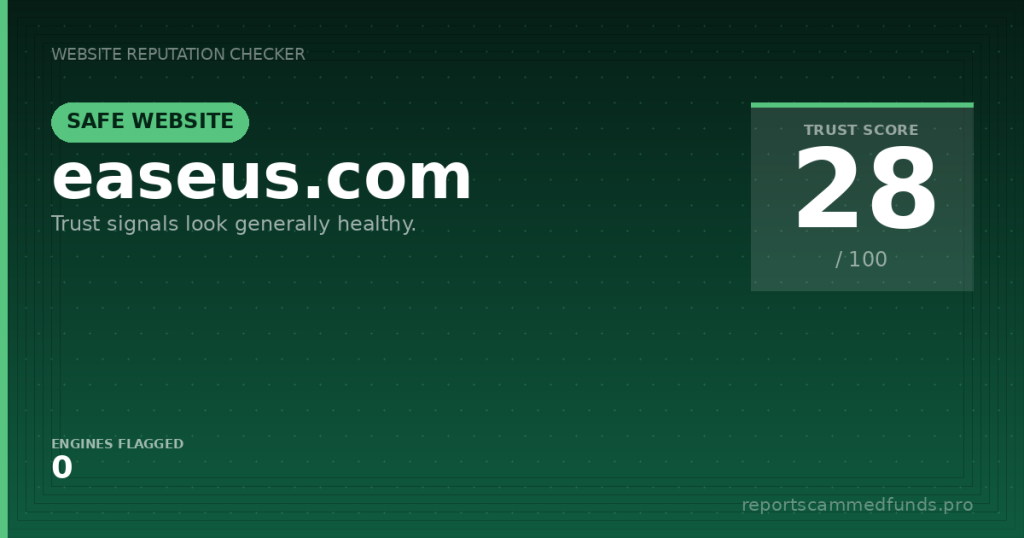
Our assessment is that easeus.com belongs to a legitimate, established software vendor whose products are widely used and covered in mainstream tech media. We did not find indications of classic scam hallmarks such as false regulatory claims, anonymity about ownership, or boiler-room style sales. The key risks here are category-specific: trial-versus-paid functionality misunderstandings, auto-renewal terms, privacy posture, and the inherent dangers of manipulating storage structures.
For prospective buyers, the safest workflow is to test the free scan thoroughly, confirm the license tier and renewal settings you want, read the refund policy, and make a clean backup before using high-impact features. Download only from the official site (easeus.com or www.easeus.com), avoid third-party mirrors, and verify installer details where feasible. If you encounter issues, document early and use your payment provider’s protections without delay.
In short, this is not an operation we would classify as fraudulent. With a careful reading of terms and a disciplined, backup-first approach, most users can transact and use the tools with confidence. As always, remain alert to unexpected add-ons, subscription toggles, and affiliate redirections, and do your own verification before committing funds.